The practical need
A connection problem has more than one layer.
A failing request can begin with the proxy, the application’s route or the wider network. Each layer needs clear evidence and controls suited to the task.

Build smarter.Grow faster.
Network software · Product family
Three Windows tools for proxy evaluation, application routing and network diagnostics.
Discuss a similar project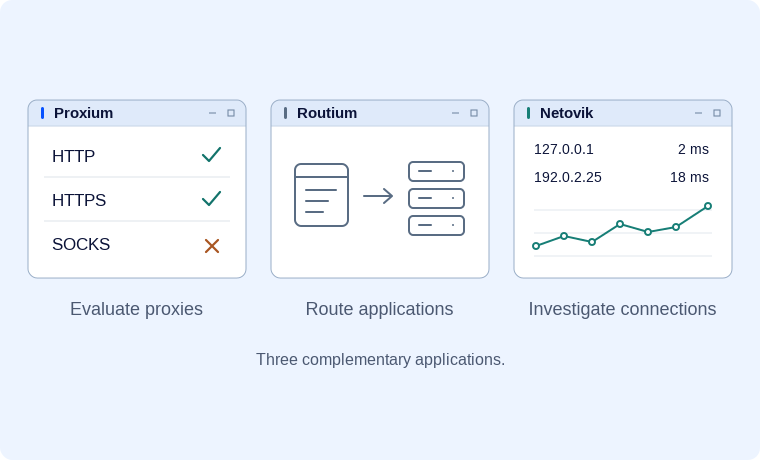
The practical need
A failing request can begin with the proxy, the application’s route or the wider network. Each layer needs clear evidence and controls suited to the task.
Our response
Proxium evaluates endpoints, Routium manages application routes and Netovik investigates network behaviour. Each works independently, with a clear interface for its part of the job.
Proxium
Collect or import endpoints, check protocol support and compare connection results. Detailed reports help distinguish connection, TLS and authentication failures, so an unusable connection can be investigated.
| Proxy address | Protocol | Latency | Result |
|---|---|---|---|
| 192.0.2.25:1080 | SOCKS4 | 268 ms | Passed |
| 198.51.100.5:3128 | HTTP | 98 ms | Passed |
| 203.0.113.24:1080 | SOCKS5 | 620 ms | TLS error |
Routium
Assign an application to an HTTP CONNECT or SOCKS5 proxy, manage its routing rule and inspect connection activity. The desktop workspace keeps assignments and routing controls together.
| Application | Proxy | Status | Connections |
|---|---|---|---|
| curl.exe | Local SOCKS5 | Stopped | 0 |
| browser.exe | HTTP proxy | Stopped | 0 |
| tool.exe | Direct | Stopped | 0 |
Netovik
Move from an initial symptom into focused checks for connectivity, DNS, HTTP or TLS. Retained inputs, detailed results and graphs help keep the investigation connected.
| Address | Sequence | Latency | Status |
|---|---|---|---|
| 192.0.2.25 | 1 | 18 ms | Reply |
| 192.0.2.25 | 2 | 17 ms | Reply |
| 192.0.2.25 | 3 | 20 ms | Reply |
| 192.0.2.25 | 4 | 19 ms | Reply |
Behind the interfaces
Different connection types, timeouts and failure paths need explicit behaviour.
Background work, cancellation and retained session state keep the interface usable.
Native controls and application rules, with service coordination where routing needs it.
Verification
Verification is recorded separately for each application.